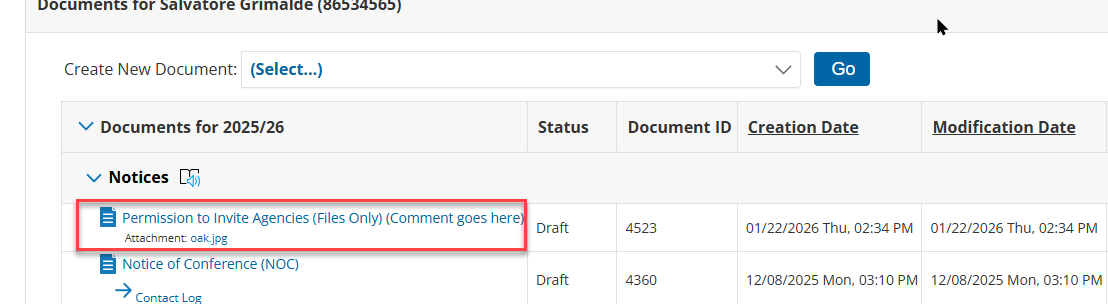
Access the feature
Users can attach files/documents to a student’s record without attaching them to a document that was created in Special Programs. The file attachment only documents are listed with (Files Only) at the end of the label.
-
From the menu, click ‘Documents’.
-
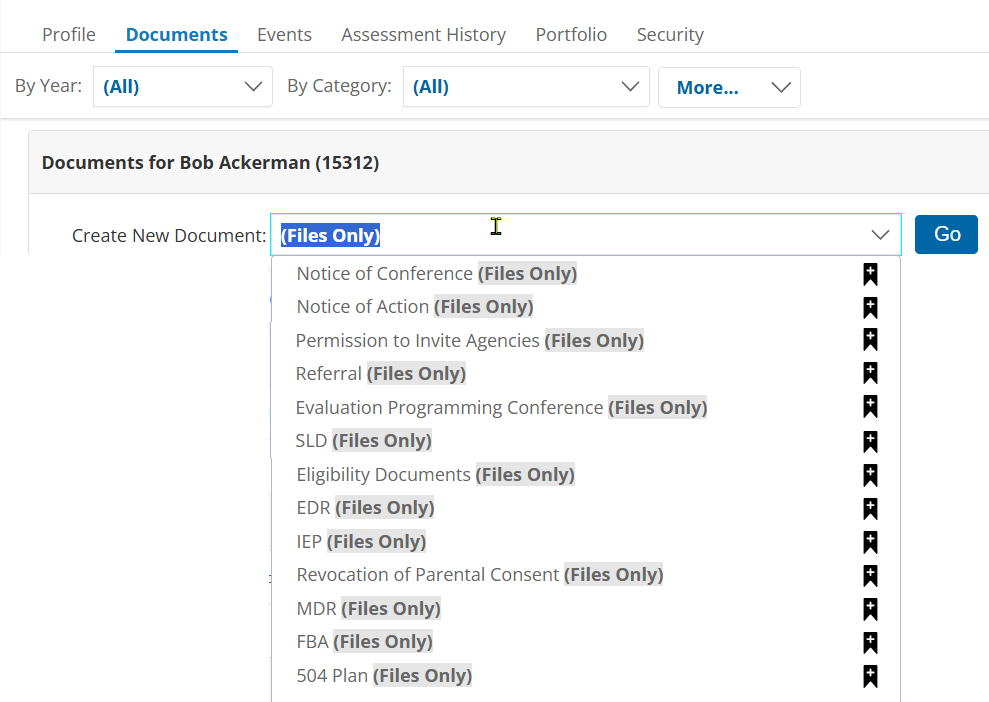
Click the drop-down list titled “Create New Document”.
-
Search for the document you wish to attach the file to, where (Files Only) is in the description.
-
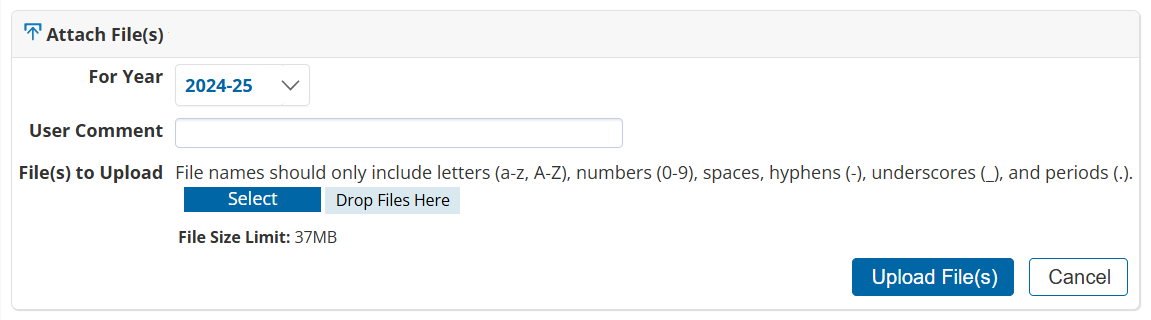
Click on Go. The following screen appears:
-
Enter a comment, optional.
-
Click the Select button to browse to the file location.
-
When the document(s) are selected, click Upload File(s).
-
Once the file is updated, click on the student name hyperlink to return to the document listing. The following screen will display: