
PowerSchool Special Programs version 26.4.0.0 is available as of.
New features and enhancements
|
Summary |
Description |
|---|---|
|
District Admins can now enable email-based multi-factor authentication (MFA) for staff who log into Special Programs with non-SSO accounts. When this option is turned on, and a staff email is configured in their profile, users must enter a one-time code sent to their email after entering their username and password, adding an extra layer of protection against unauthorized access. Key details
|
|
|
Enhanced error messaging for digital signature |
We’ve improved how the system handles situations where a document cannot be sent for digital signature due to missing signers. The previous message has been replaced with clearer guidance explaining that no active signers are assigned and prompting the user to review the signer list before retrying.
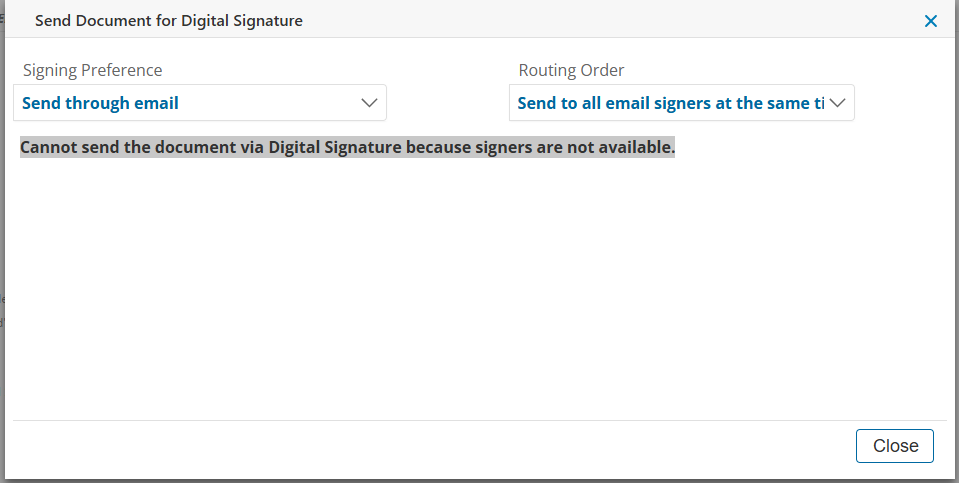
A new Custom Message for Missing Signers field has been added. At this time, the new configuration option is only available to State Model Configurators. It will not appear for Admin users under Edit eSignature Properties, and this is expected behavior. |
|
Service capture printing update |
Printing from the Services Listing includes all fields from each student’s Service Capture record with clear labels, readable formatting, and consistent structure for individual and multiple student outputs. |
|
Auto archive option for rollover |
An option to archive records eligible for purge during rollover has been added, including a checkbox in the setup screen and read-only access for tenants via the Controller. |
Resolved issues
|
Summary |
Description |
|---|---|
|
Envelope generation for draft documents |
Draft documents are now included in envelope generation, and the issue is now resolved. |